Facebook and Instagram ads can be incredibly powerful—but only if you know how to use them right.
The problem? Most beginners boost a post, cross their fingers, and call it marketing.
But if you follow a few key steps, you can launch your first ad confidently—even with a small budget—and actually get results.
Here’s how to run a basic Facebook or Instagram ad from start to finish.
1. Start with a clear goal
Before you touch a single setting, ask:
What do I want this ad to do?
Do you want to:
- Get more website traffic?
- Collect email signups?
- Promote a product?
- Grow your Instagram following?
If you try to do everything with one ad, you’ll end up doing nothing well. Pick one goal and design your ad around it.
2. Choose the right campaign objective
Inside Facebook Ads Manager, you’ll be asked to choose a campaign objective.
Here’s a quick guide:
- Traffic – Send people to your website or landing page
- Engagement – Get more likes, comments, or shares
- Leads – Collect contact info through a form
- Sales – Drive purchases on your website
If you’re just starting out, Traffic or Engagement is a good place to test the waters.
Avoid the “Boost Post” button—it offers fewer controls and less targeting power.
3. Define your target audience
This is where your ad becomes powerful. You can get extremely specific, or start broad and refine later.
Choose based on:
- Location – Cities, countries, or radius around your store
- Age + Gender – Depending on your audience
- Interests – Like fitness, entrepreneurship, or parenting
- Behaviors – Like online shoppers, business owners, or frequent travelers
If you already have a customer list, you can upload it to create a Custom Audience—and even build a Lookalike Audience to find people similar to your best customers.
4. Keep your visuals and message simple
Use one image or short video with a clear message. Don’t try to explain everything—just grab attention and get a click.
Tips:
- Use bright, high-quality visuals
- Keep text minimal (Facebook limits how much text can be on your image)
- Use clear calls-to-action like “Learn More,” “Shop Now,” or “Download Free Guide”
The best ads look and feel like content—not sales pitches.
5. Set your budget and schedule
You don’t need to spend hundreds to get results.
Start small:
- Daily budget: $5–$15/day
- Run it for 3–5 days
- Test one version at a time
You can always scale up once you find what works.
Bonus tip: Turn off automatic placements and choose Instagram Feed, Facebook Feed, or Stories depending on where your audience hangs out.
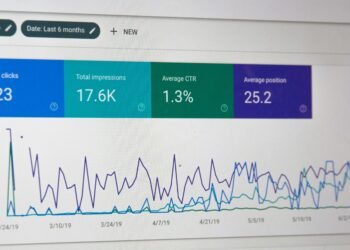
6. Track results in Ads Manager
Once your ad is live, check your numbers after a few days:
- Click-through rate (CTR) – How many people clicked
- Cost per click (CPC) – What you paid for each click
- Engagement – Likes, shares, comments
Look at what’s working—and what isn’t. If your ad’s not getting clicks, test a new image or headline.
Avoid tweaking too soon. Give it at least 3 full days before making changes.
Action Step
Choose one product, service, or freebie to promote. Open Facebook Ads Manager, set up a basic Traffic campaign with a small daily budget, and target a clear audience. Keep it simple, track your results, and use what you learn to improve your next ad.